Below is the form used to order Life Skills Promotional Items.
(The form may change slightly in appearance as revisions are made)
|
|
| STEP 1: Fill out the form by clicking in the fields and enter your school information, and quantities. When you are done filling out the form, click the 'Calculate Total' button. This will fill out the total field automatically.
Double-check your order.
If you need to make any corrections, do so at this time, then click the 'Calculate Total' button again to re-calculate the totals. Next, click the 'Submit' button only once. |
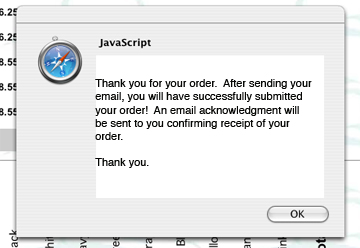 |
| STEP 2: Upon clicking the 'Submit' button, you may receive a message similar to the one above. This is a confirmation message of your order. Click the 'OK' button to continue. |
Internet Explorer Users: |
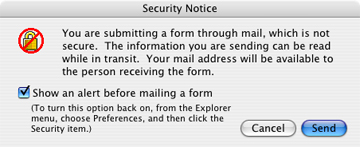
STEP 3: You may get a message similar to the one below. If you do, click the 'Send' button to complete your order. There are no security issues here, your order is safe. This completes the ordering process. Reset the form using the 'Reset' button, and use your browser to exit the form. You will receive a confirmation of your order via e-mail. Please allow three weeks for delivery.
|
|
**Please Note: Not all browsers perform exactly alike. Some will send the order form directly from within the browser. Others will use your e-mail program to send the form. If your browser opens the e-mail program, then proceed to step 3b below.
Other Browser Users:
|
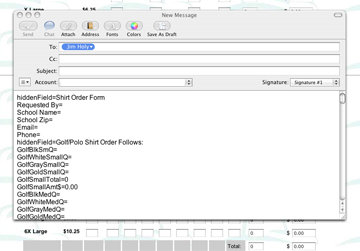 |
STEP 3b: You will now see your e-mail program open with a message typed, and ready to be sent in to complete your order. It is important that you do not change anything in the message. This is important, as changing anything will only delay your order. Next, send the e-mail as you would normally. This completes the ordering process. Reset the form using the 'Reset' button, and use your browser to exit the form. You will receive a confirmation of your order via e-mail. Please allow three weeks for delivery. |